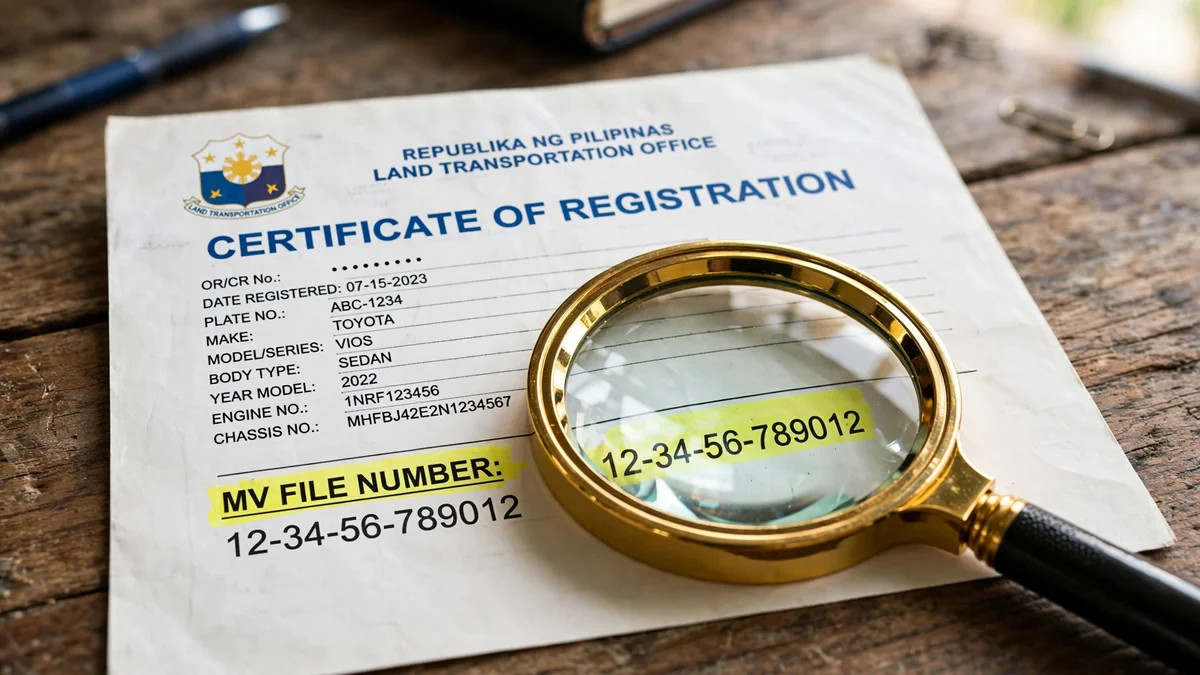
In short: Your MV file number is the 15-digit identifier LTO assigns at first registration. Find it at the top of your Certificate of Registration or Official Receipt. In the online tracker, remove the zeros after the dash first.
Key Takeaways
- The MV file number is a permanent 15-digit LTO vehicle identifier.
- It appears on your CR, your OR, and some motorcycle temporary plates.
- Trackers need the zero-stripped format, not the full printed number.
- The first four digits reveal which LTO office processed your registration.
- Online tracking currently covers NCR-registered vehicles only, per official tools.
What Is an MV File Number?
The MV file number is your vehicle’s permanent record key in LTO’s system. LTO assigns it during your vehicle’s very first registration transaction. It never changes when you renew, sell, or replace your plates.
Think of it as the key linking every LTO transaction to your vehicle. Plate releases, transfers, and replacement OR or CR requests trace back here. That is why trackers, dealers, and LTO officers always ask for it.
The Tracker Input Rule: Strip the Zeros
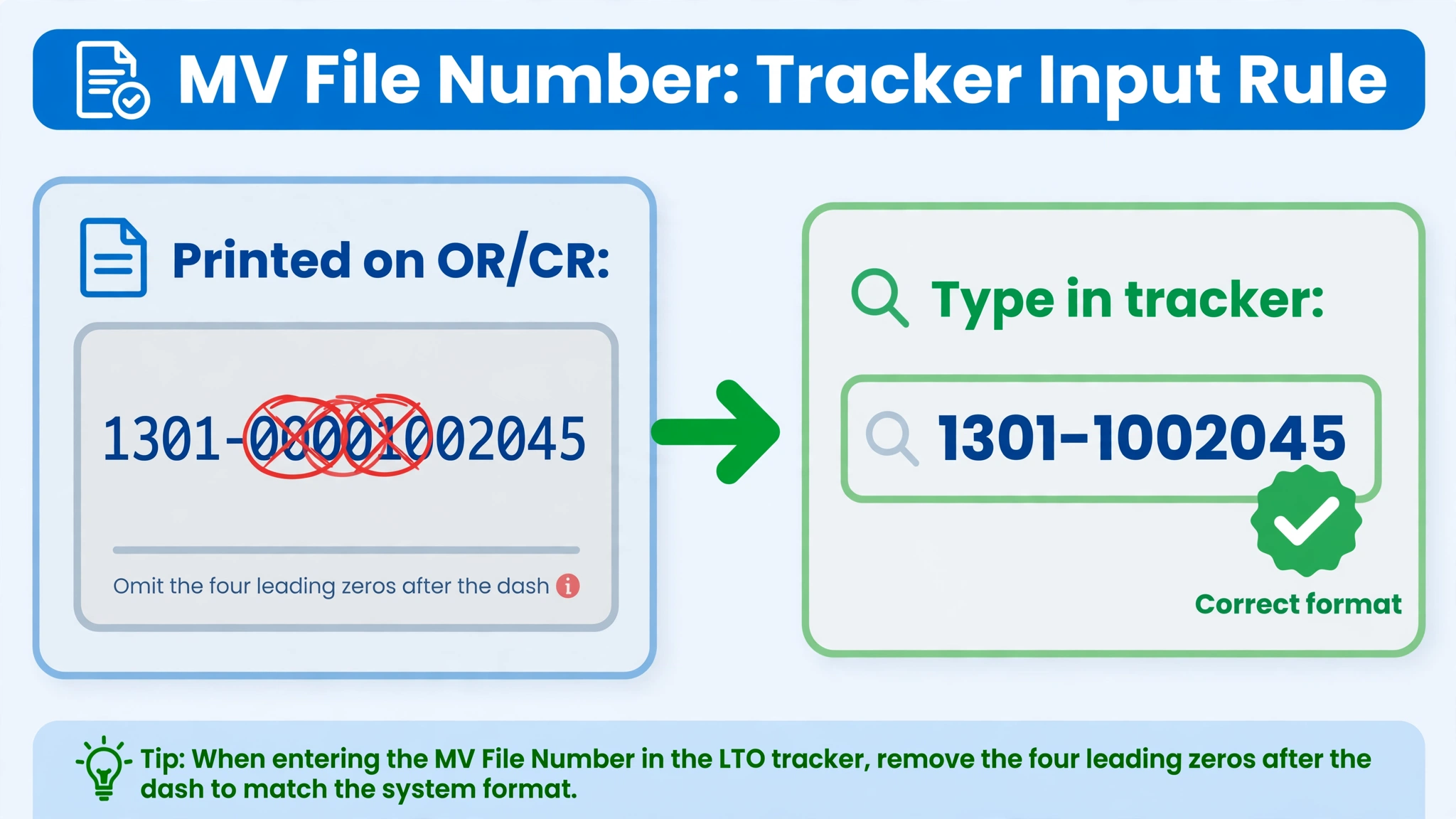
This is the step most guides bury, yet it causes most tracker failures. Your OR and CR print the full 15-digit number with leading zeros. The tracker’s search field cannot process those zeros after the dash.
The Rule in One Line
Printed on your OR or CR: 1301-00001002045
Type into the tracker: 1301-1002045
Remove every zero between the dash and the first non-zero digit. Keep the four-digit prefix and everything after that first non-zero digit. Try both with-dash and digits-only formats if one version fails.
Where to Find Your MV File Number
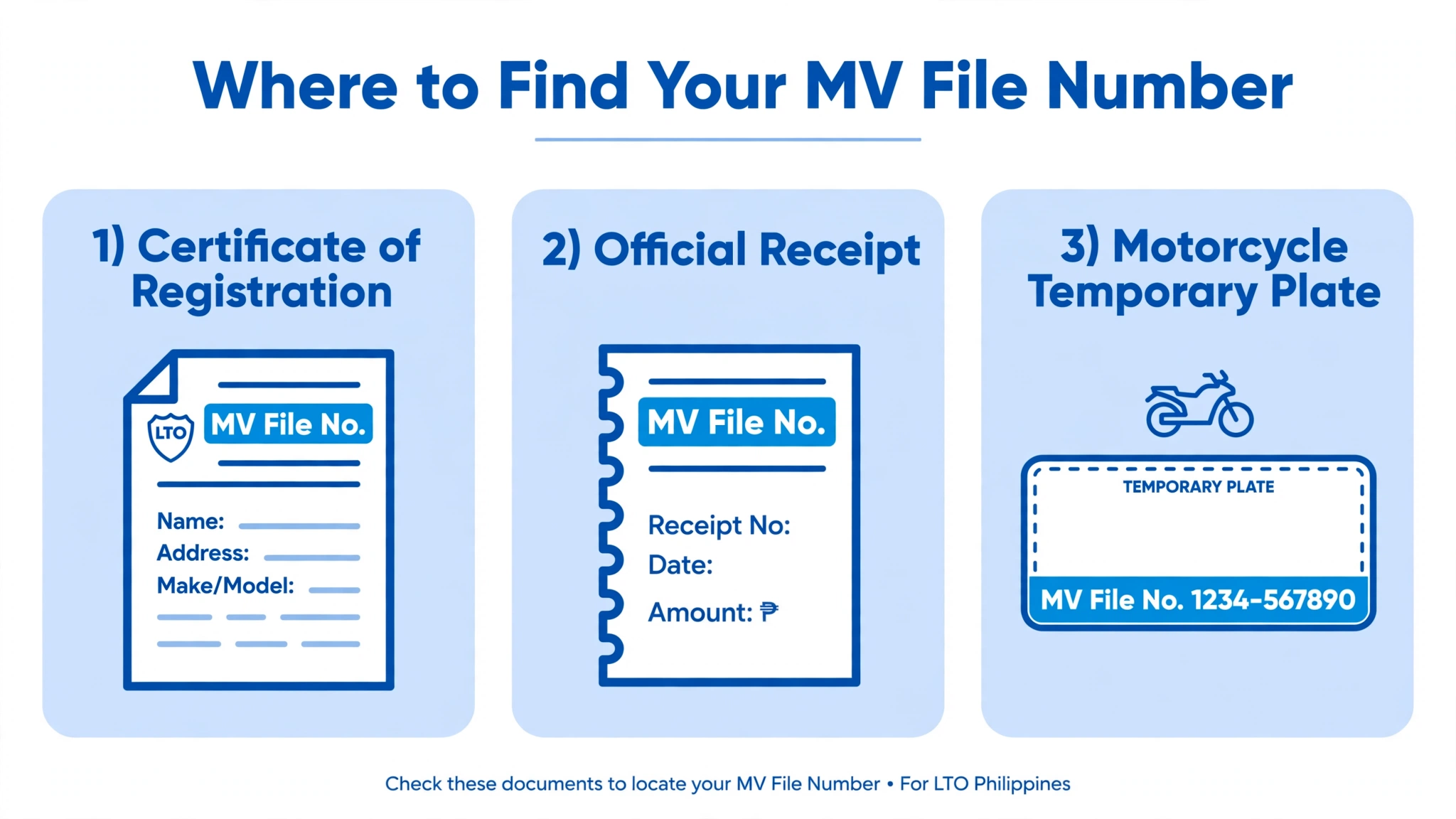
Your MV file number lives in three places, depending on your vehicle type. Check your documents in the order listed below for fastest results.
Location | What to look for |
|---|---|
Certificate of Registration (CR) | Top portion, in the field labeled MV File No |
Official Receipt (OR) | Top portion, near the printed plate number |
Motorcycle temporary plate | Bottom section, below the conduction number |
On your Certificate of Registration
Look at the top portion of your CR for the labeled field. It may read MV File No., Motor Vehicle File Number, or File No. The number uses a monospaced font and spans 15 digits total.
On your Official Receipt
Your OR carries the same number near its top section. The label matches your CR and usually reads MV File No. Both numbers must match exactly, so compare them side by side.
On your motorcycle’s temporary plate
Motorcycle owners get a bonus location most guides completely miss. The LTO requires the MV file number printed at the bottom. It sits below the conduction number on the temporary plate itself.
What the First Four Digits Mean
The number is structured, not random, and its prefix names your office. The first four digits are the LTO agency code for your district. That code tells you which New Registration Unit processed your vehicle.
| Prefix | LTO office |
|---|---|
| 1301 | LTO NCR Regional Office – New Registration Unit |
| 1303 | LTO NCR Regional Office – New Registration Unit |
| 1324 | Las Piñas District Office – NRU |
| 1336 | Mandaluyong District Office – NRU |
| 1366 | Muntinlupa District Office – NRU |
| 1380 | Quezon City District Office – NRU |
| 1801 | LTO NCR – newer series |
Cite your prefix when following up at any LTO branch office. The officer will know immediately which NRU holds your records. Provincial vehicles carry different prefixes that fall outside this NCR list.
MV File Number vs Other LTO Numbers
Four different numbers appear across LTO documents, and mixing them up wastes time. Each one serves a distinct purpose in the registration system. Use the table below to tell them apart instantly every time.
| Number | What it identifies | When you use it |
|---|---|---|
| MV file number | Your vehicle record, permanently | Plate tracking and LTO follow-ups |
| Plate number | Your vehicle on the road | Coding, alarms, and daily driving |
| Conduction number | Your vehicle before plate release | Temporary identification while waiting |
| LTMS client number | You as the registered owner | Logging in to the LTMS portal |
One person can hold one LTMS client number with several MV file numbers. The vehicle number and the owner number are never interchangeable. Always enter the number that the specific form actually requests.
Why the Tracker Says “Not Found”
A blank result rarely means your vehicle record is missing entirely. Work through this checklist in order before visiting any office.
If every fix fails, contact the LTO office on your CR directly. Bring your OR and CR so staff can verify your records. According to published guides, provincial owners should skip the online tool entirely.
Lost Your OR and CR?
Losing both documents feels stressful, but your number is still recoverable. The LTO keeps your MV file number permanently in its database. Visit the district office where your vehicle was first registered.
Your dealer may also keep your MV file number in their sales records. Ask the branch that sold you the vehicle for assistance. Never pay a fixer, since official reissuance follows standard LTO fees.
FAQs
Found this guide helpful for your LTO tracker concerns today? Share it with fellow motorists who struggle with tracker errors daily. Bookmark this page for quick access during your next LTO transaction.
6 Comments